
This lets your chat widget open automatically when a user lands on your website.
It helps you grab attention early and start conversations without waiting for a click.
Steps #
- Go to your Agent Dashboard
- Click Edit
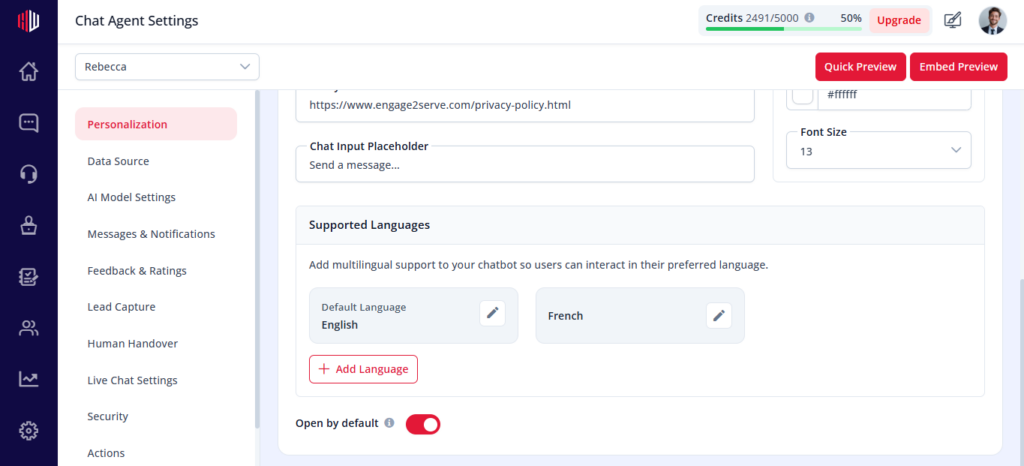
- Open Personalization
- Find Open by Default
- Turn the toggle ON
How it works #
- The chat opens as soon as the page loads
- Users don’t need to click the widget icon
- Your Intro Message is shown immediately (if enabled)
When to use #
- Landing pages
- Lead generation flows
- Campaign-specific pages
Important Notes #
- Can feel intrusive if overused
- Works best with a clear Intro Message
- Only works after the chatbot is embedded on your site
Next, open your website and see how the chat appears for first-time visitors.
If you have any questions, concerns, or need further clarification, please contact support@highengage.com for assistance.


