
During onboarding, HighEngage allows you to choose how you want to create your AI agent either from scratch or using a predefined template.
This step helps you quickly align your agent with your business goal.
How to Choose Your Setup #
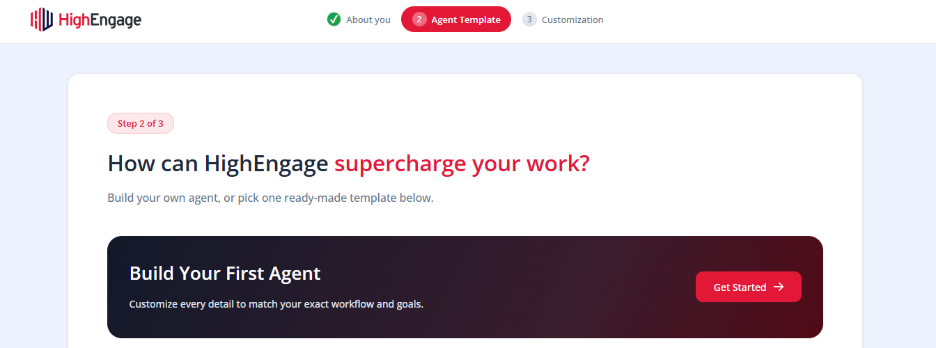
Template selection screen with “Build Your First Agent” and template options
Option 1: Build Your First Agent #
Click Get Started under Build Your First Agent if you want full control.
- Configure everything from scratch
- Define your own workflows and behavior
- Ideal for custom or advanced use cases
Option 2: Use a Predefined Template #
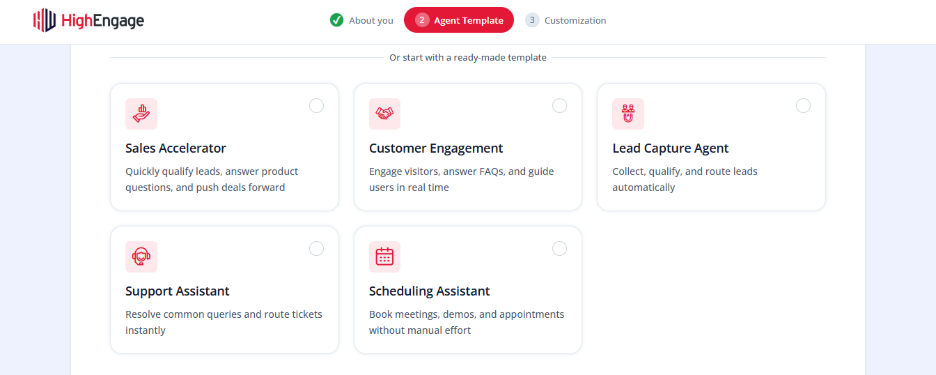
You can select a ready-made template based on your needs with this option and click “Use Template”:
- Sales Accelerator
Qualify leads, answer product questions, and move deals forward
- Customer Engagement
Engage visitors, answer FAQs, and guide users in real time
- Lead Capture Agent
Collect, qualify, and route leads automatically
- Support Assistant
Handle common queries and route tickets instantly
- Scheduling Assistant
Book meetings, demos, and appointments without manual effort
How to Choose the Right Template #
- Focus on your primary goal (sales, support, booking, etc.)
- Choose a template closest to your use case — you can always customize it later
What Happens Next #
Once you select a template that matches your use case,
- Your agent is pre-configured with relevant settings
- You can customize branding, data sources, and workflows
- You can test the agent before going live
If you have any questions, concerns, or need further clarification, please contact support@highengage.com for assistance.


