
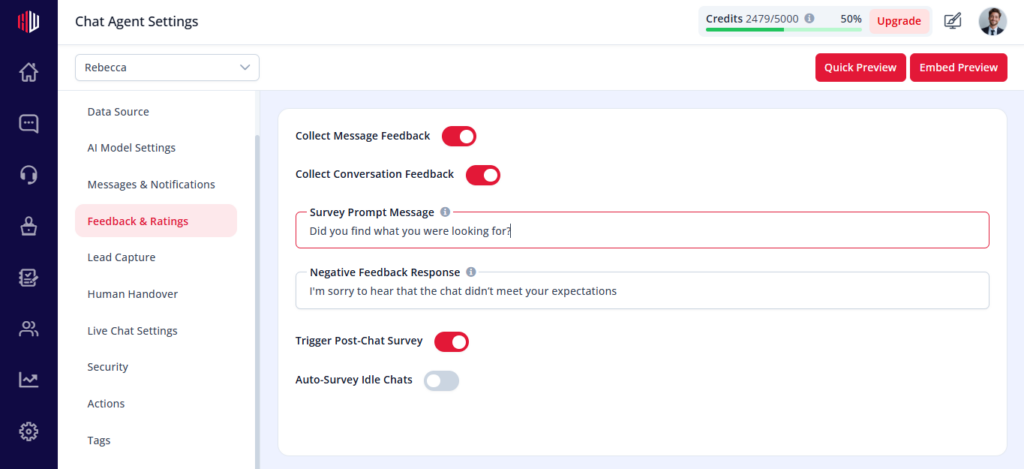
This lets you ask users for feedback at the end of a conversation.
It helps you understand user satisfaction and improve your agent
Steps #
- View your agent in the dashboard
- Go to Edit
- Open Feedback & Ratings
- Find Survey Prompt Question
- Add or edit your question
How it works #
- Survey is shown after the conversation ends or is completed
- Users can respond directly in the chat
- Responses are recorded for review
What to ask #
- Experience feedback
- Improvement suggestions
Examples:
- “How would you rate your experience?”
- “Was this helpful?”
Important Notes #
- Keep questions short and easy to answer
- Avoid asking too many questions
- Works best after a complete interaction
Tips #
- Use focused questions
- Keep tone simple and neutral
- Align questions with your goal (support, sales, etc.)
Next, use Preview to complete a chat and see how your survey appears.
If you have any questions, concerns, or need further clarification, please contact support@highengage.com for assistance.


