
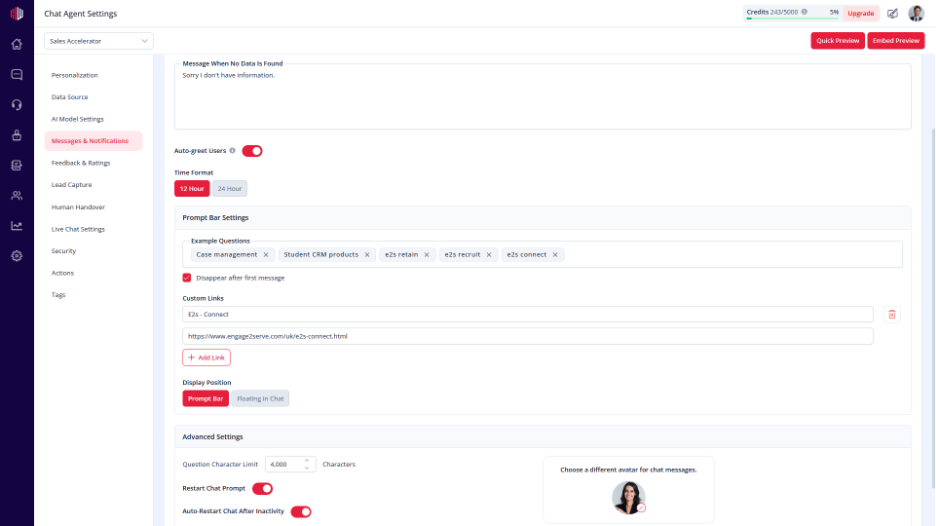
This hides suggested questions after the user sends their first message.
It keeps the chat clean once the conversation has started.
Steps #
- View your agent in the dashboard
- Go to Edit
- Open Messages & Notifications
- Find Example Questions
- Enable Disappear After First Message
How it works #
- Example questions are shown when the chat opens
- After the first user message, they are removed
- The chat continues without suggestions
When to use #
- Guided onboarding at the start
- Lead generation flows
- When you want a cleaner chat after interaction begins
Important Notes #
- Works only if Example Questions are added
- If disabled, suggestions remain visible throughout the chat
- Applies to all users
Tips #
- Use 2–3 strong starter questions
- Combine with a clear Intro Message
Next, use Quick Preview to confirm the questions disappear after the first message.
If you have any questions, concerns, or need further clarification, please contact support@highengage.com for assistance.


