
This lets you control what happens when a user gives negative feedback on an AI response.
It helps you recover the conversation and guide the user toward a better outcome.
Steps #
- View your feedback in the dashboard
- Go to Edit
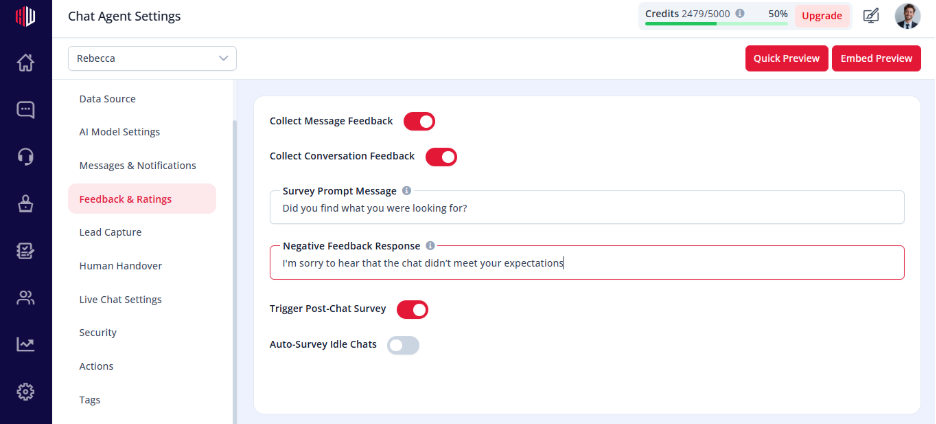
- Open feedback & Ratings
- Find Negative Feedback Response
- Enter your custom message
How it works #
- When a user gives negative feedback (👎): Your custom message is shown
- You can guide the user to:
- Rephrase the question
- Provide more details
- Connect with a human
Example
“Sorry about that. Could you rephrase your question or would you like me to connect you with our team?”
Important Notes #
- Triggered only on negative feedback
- Should help recover the conversation
- Works alongside Corrections and escalation flows
Tips #
- Keep the tone apologetic and helpful
- Offer a clear next step
- Optionally guide users to human support
Next, use Preview and give negative feedback on a response to test this flow.
If you have any questions, concerns, or need further clarification, please contact support@highengage.com for assistance.


