
This helps you view, update, and control your HighEngage subscription.
You can check usage, upgrade plans, or manage billing from one place.
Where to find it #
- Go to Settings
- Open plan
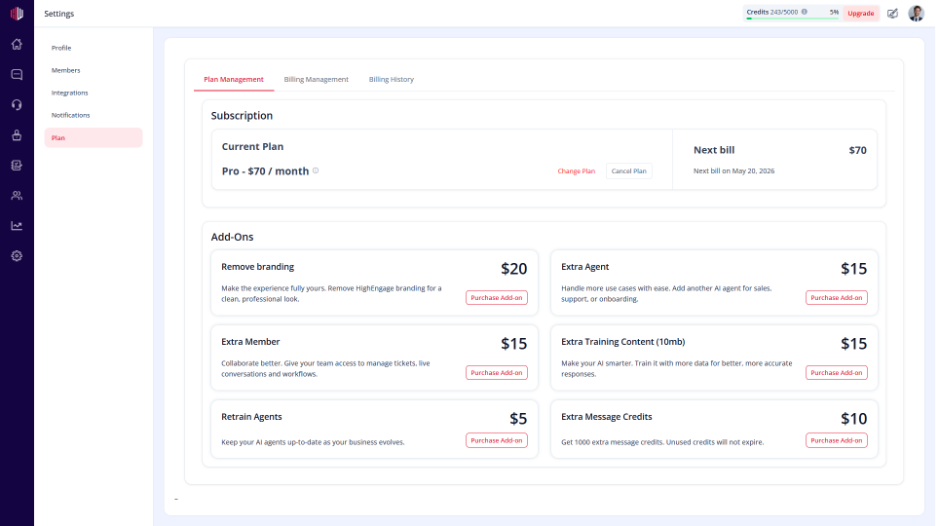
What you can manage #
Current Plan #
- View your active plan
- See included features and limits
Usage #
- Check credit usage (per message/model)
- Monitor refresh usage and limits
Upgrade or Change Plan #
- Click Upgrade or Change Plan
- Select a new plan
- Confirm your selection
Changes apply immediately or from the next billing cycle (based on plan).
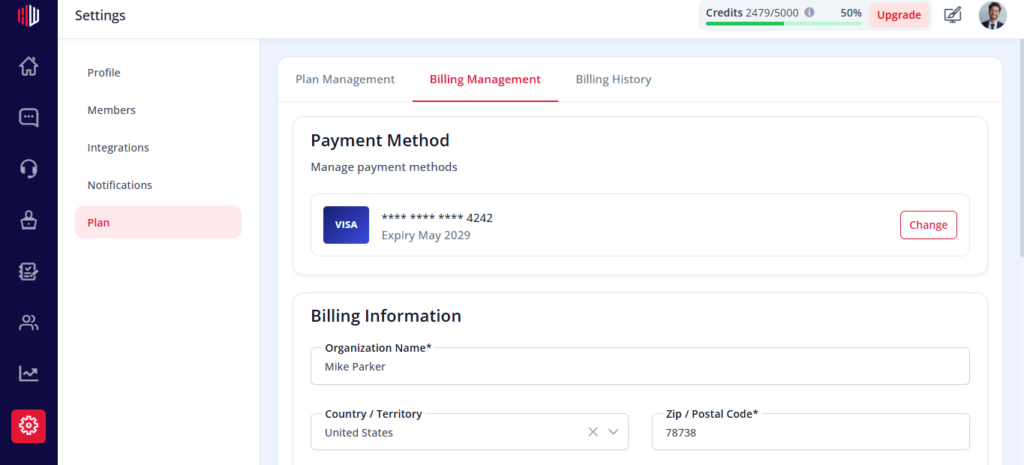
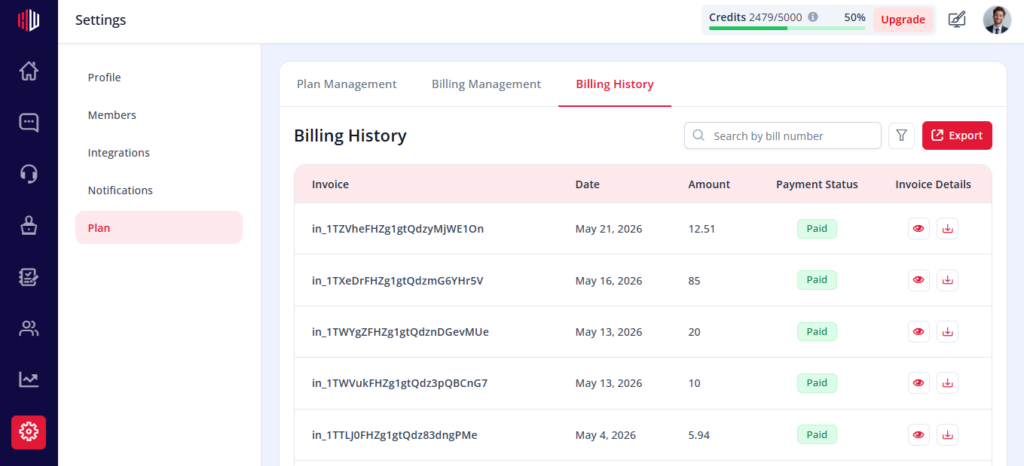
Billing Details #
- View billing history
- Download invoices
- Update payment method
Important Notes #
- Plan limits affect features like:
- AI usage (credits)
- Refresh actions
- Upgrading increases available limits
- Downgrades may restrict access to some features
Tips #
- Monitor usage regularly to avoid interruptions
- Choose a plan based on your chat volume
- Upgrade before hitting limits
Next, review your current usage and decide if you need to upgrade your plan.
If you have any questions, concerns, or need further clarification, please contact support@highengage.com for assistance.


