
This helps you correct wrong or missing answers so your AI improves over time.
Instead of retraining everything, you can fix specific responses directly.
When to use #
- AI gives an incorrect answer
- AI cannot answer a question
- Users give negative feedback
Steps #
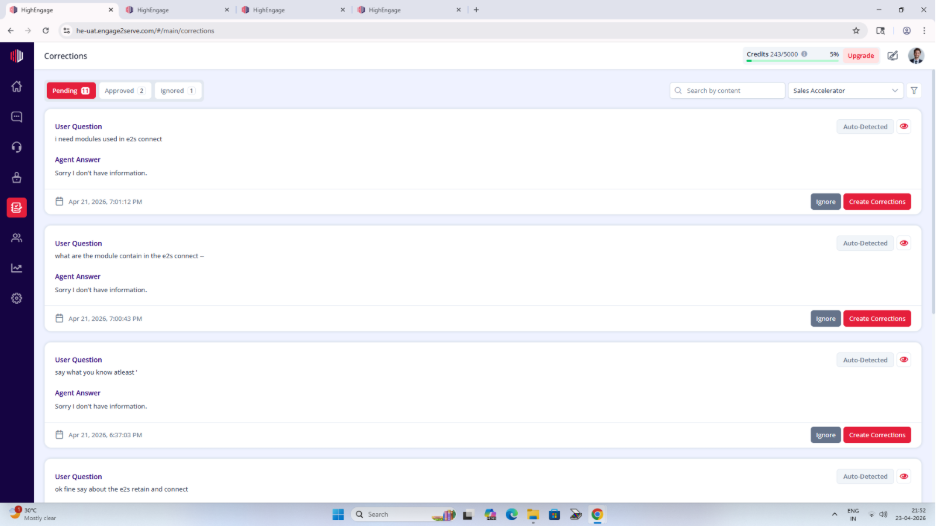
- Go to Corrections
- Open the Pending tab
- Find the question you want to fix
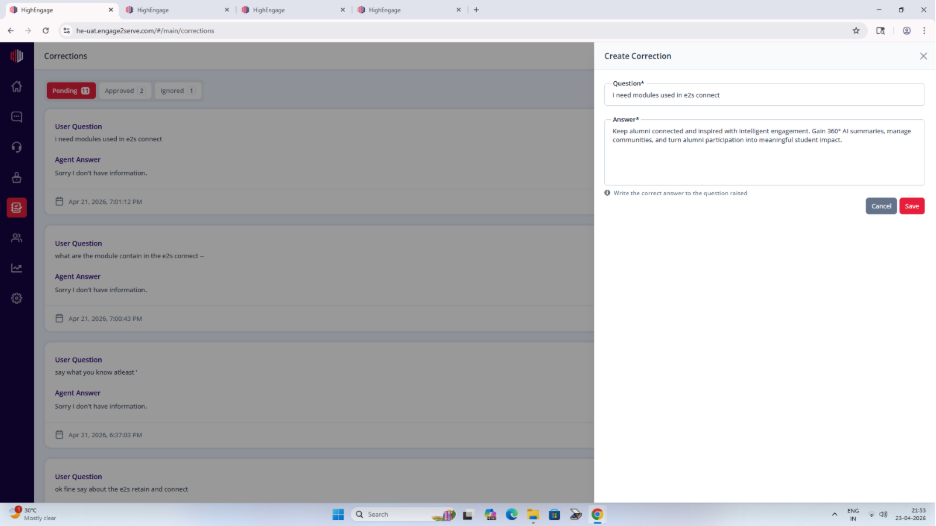
- Click Create Correction
- Enter the correct answer
- Click Save
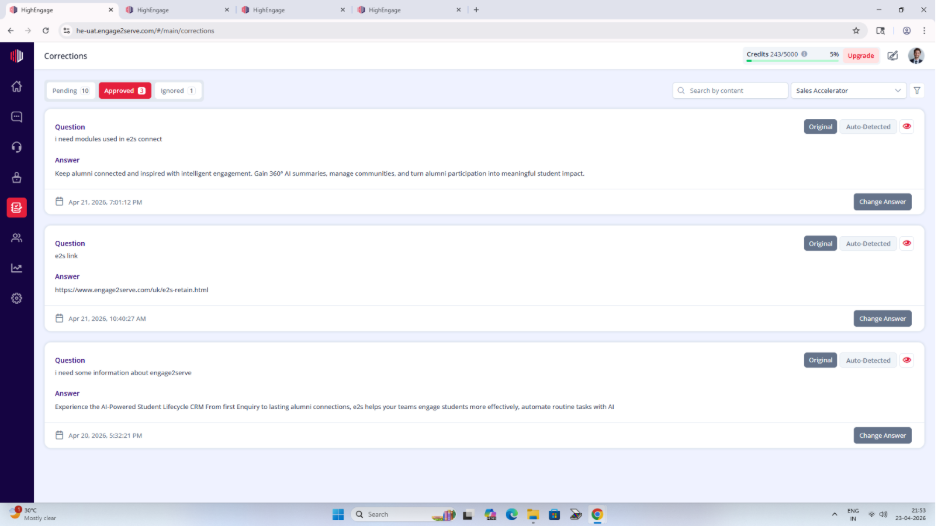
The correction moves to Approved
What happens next #
- The corrected answer becomes part of your agent’s knowledge
- AI will use it for similar questions going forward
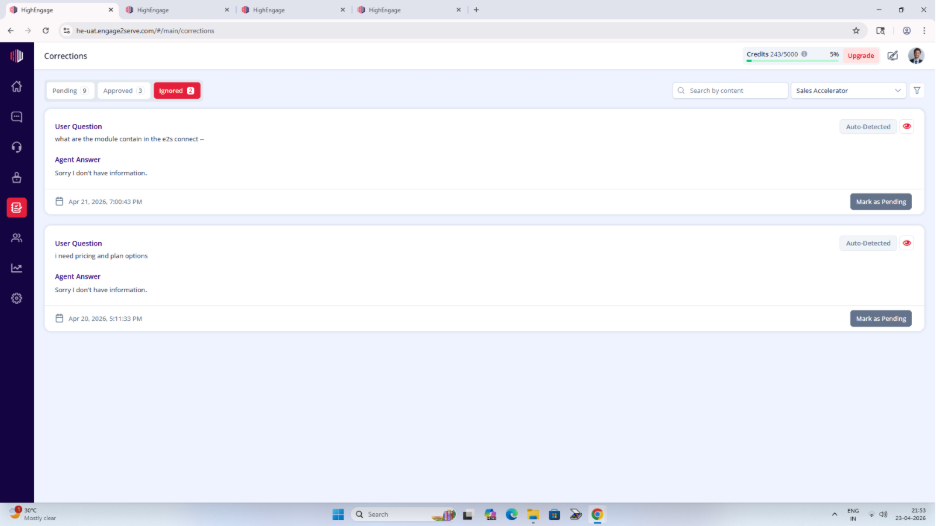
Ignore a correction (optional) #
If the item is not relevant:
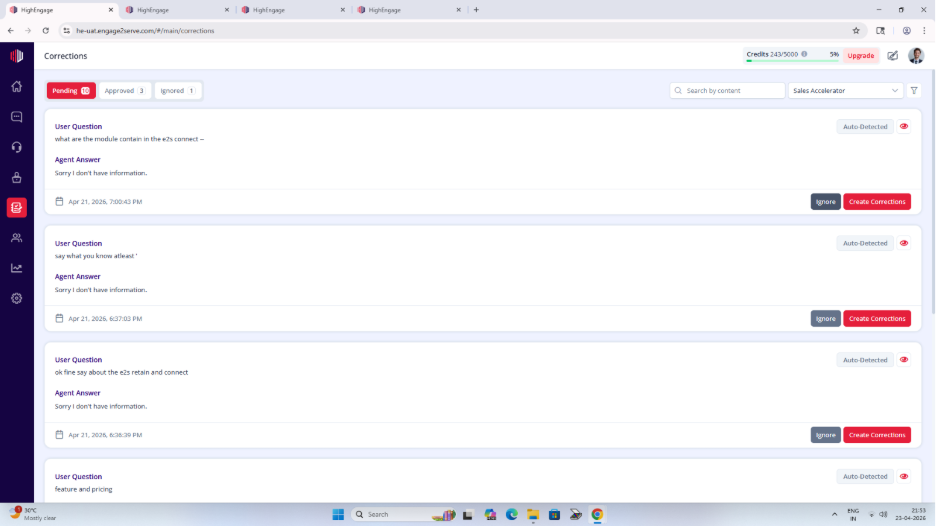
- Click Ignore
- It moves to the Ignored tab
Important Notes #
- Corrections are created from:
- AI failures (no answer)
- Negative user feedback
- Each agent has its own set of corrections
- Approved corrections improve future responses
Tips #
- Keep answers clear and accurate
- Match how users naturally ask questions
- Review corrections regularly to improve quality
Next, go to Preview and test the same question to confirm the fix works.
If you have any questions, concerns, or need further clarification, please contact support@highengage.com for assistance.


