
This helps you choose the right AI model based on how accurate you want responses to be and how many credits you want to use.
Choosing the right model helps you balance quality, speed, and cost.
How model selection works #
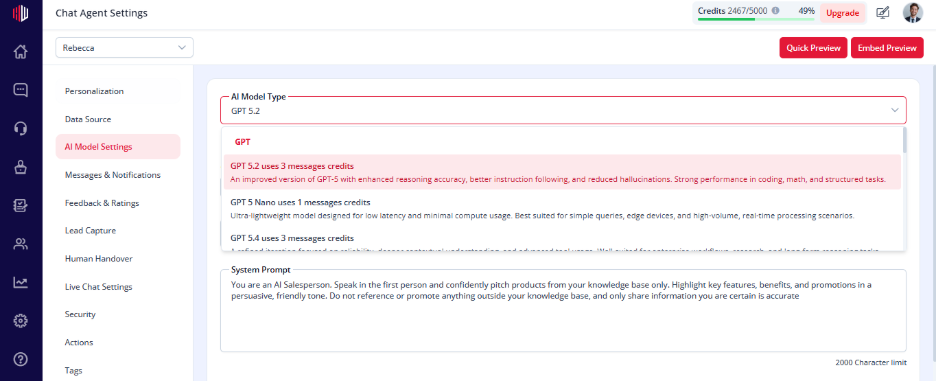
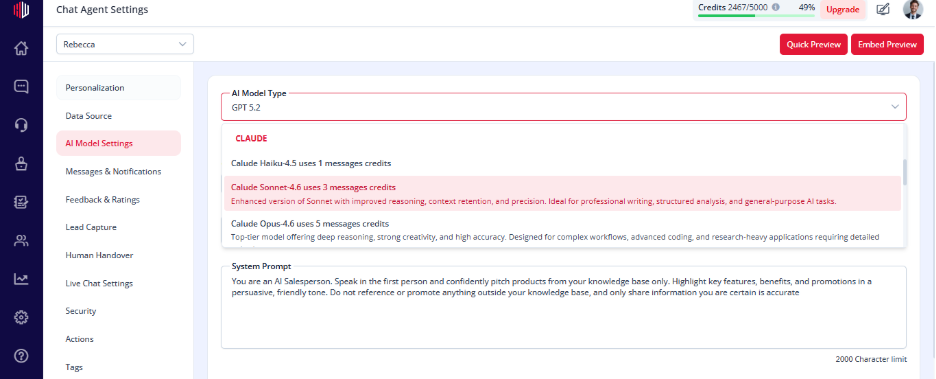
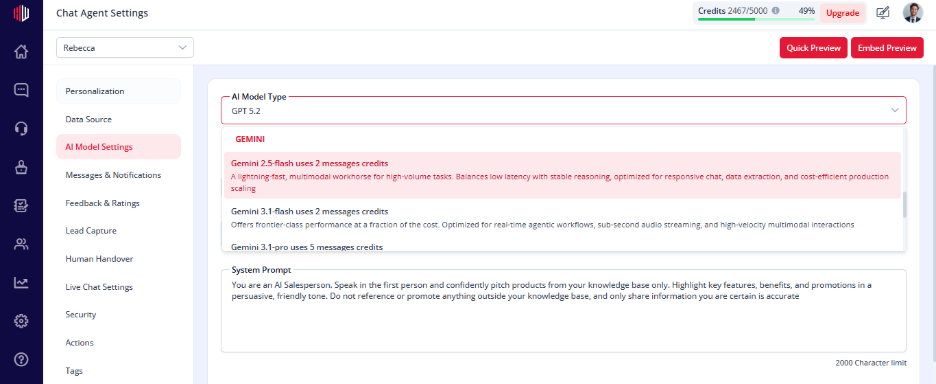
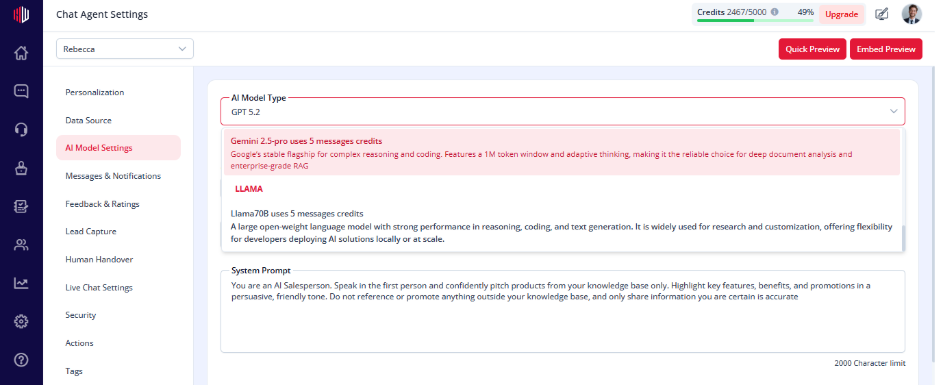
In AI Model Settings, each model shows:
- Credits per message
- Different levels of performance
You choose the balance that fits your use case.
Key trade-offs #
High-performance models #
- Better understanding
- More accurate answers
- Higher credit usage
Best for:
- Support agents
- Complex queries
- Knowledge-heavy use cases
Lightweight models #
- Faster responses
- Lower cost
- Less detailed answers
Best for:
- Lead capture
- Simple FAQs
- High-volume chats
Where to set this #
- Go to Edit Agent
- Open AI Model Settings
- Select a model from the dropdown
You’ll see credits per message for each option.
How to decide #
- Need better accuracy → choose a higher model
- Need to handle more volume → choose a lower-cost model
- Not sure → start with a balanced option
Important Notes #
- Only one model can be active at a time
- Changes apply immediately
- Higher models use more credits per message
Practical tip #
Start with a mid-level model.
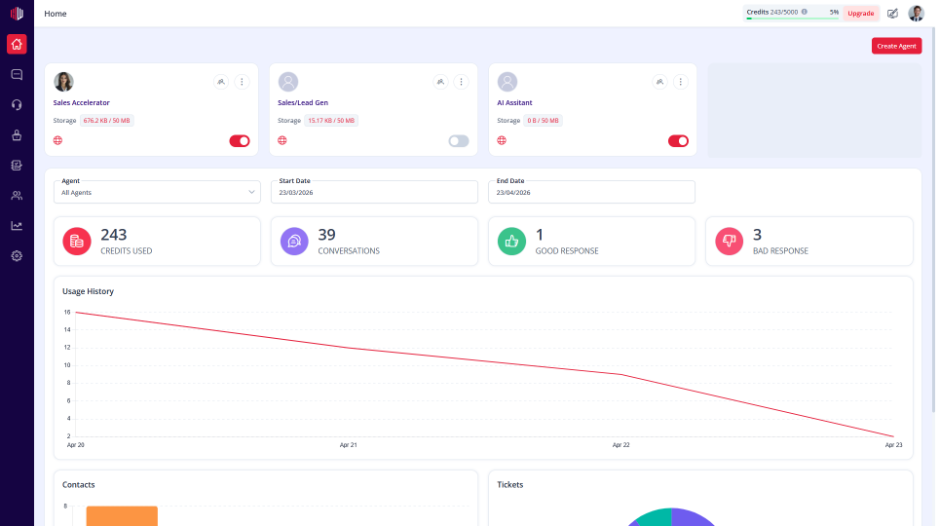
Check response quality and credit usage in the Dashboard, then adjust as needed.
Next, test your agent in Preview to compare response quality before finalizing your model.
If you have any questions, concerns, or need further clarification, please contact support@highengage.com for assistance.


