
This lets users report inappropriate or abusive messages during a chat.
It helps you monitor misuse and keep conversations safe.
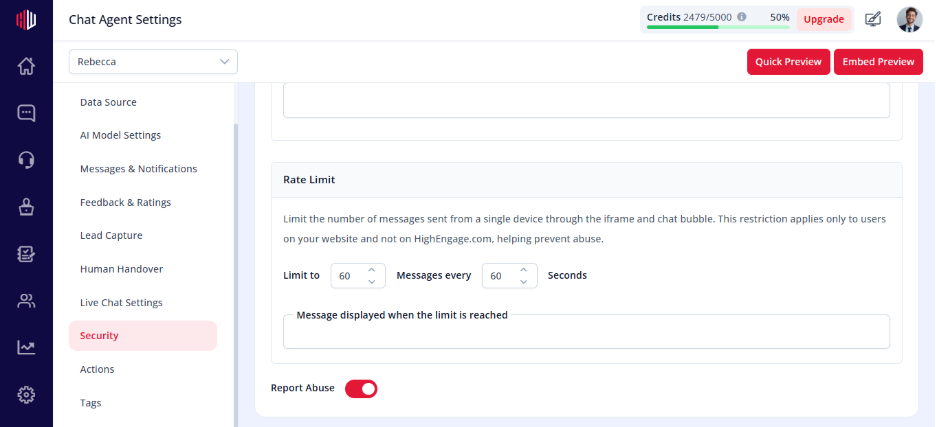
Steps #
- View your agent in dashboard
- Go to Edit
- Open Security
- Find Report Abuse
- Turn the toggle ON
How it works #
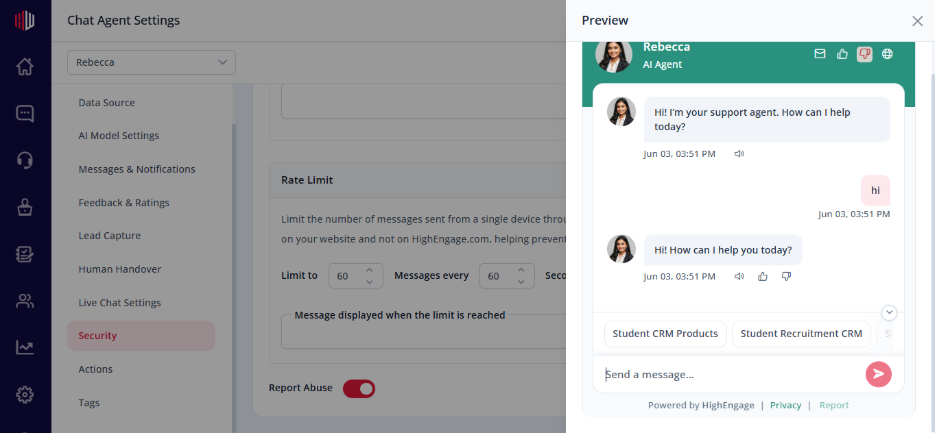
- Users get an option to report below the chat, in the right corner
Important Notes #
- Works across all chat conversations
- Helps identify harmful or inappropriate usage
- Does not block users automatically
Tips #
- Enable this for public-facing chatbots
- Combine with rate limiting for better protection
Next, test your chatbot in Preview and check how the report option appears.
If you have any questions, concerns, or need further clarification, please contact support@highengage.com for assistance.


