
This lets you control what users see when your AI can’t find a relevant answer.
A clear fallback message helps guide users instead of ending the conversation.
Steps #
- View the agent in the dashboard
- Go to Edit
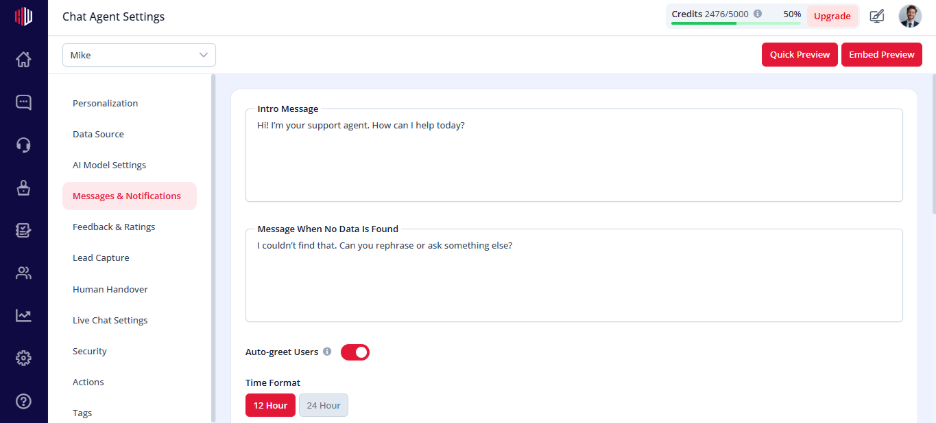
- Open Messages & Notifications
- Find Message When No Data Is Found
- Enter your custom message
(Example: “I couldn’t find that. Can you rephrase or ask something else?”)
When this is used #
- No relevant data in your Data Source
- AI is unsure how to answer
- Question is outside your trained content
Important Notes #
- This message is shown instead of an AI response
- Keep it helpful and guiding
- Avoid leaving the user without next steps
Tips #
- Suggest what users can do next:
- Ask a different question
- Provide more details
- Contact your team
Example:
“I don’t have that info yet. You can ask about pricing, features, or contact our team.”
Next, test your agent in Preview by asking a question outside your data.
If you have any questions, concerns, or need further clarification, please contact support@highengage.com for assistance.


