
This lets you show your privacy or policy link inside the chat.
It helps users understand how their data is handled and builds trust.
Steps #
- Go to your Agent Dashboard
- Click Edit
- Open Personalization
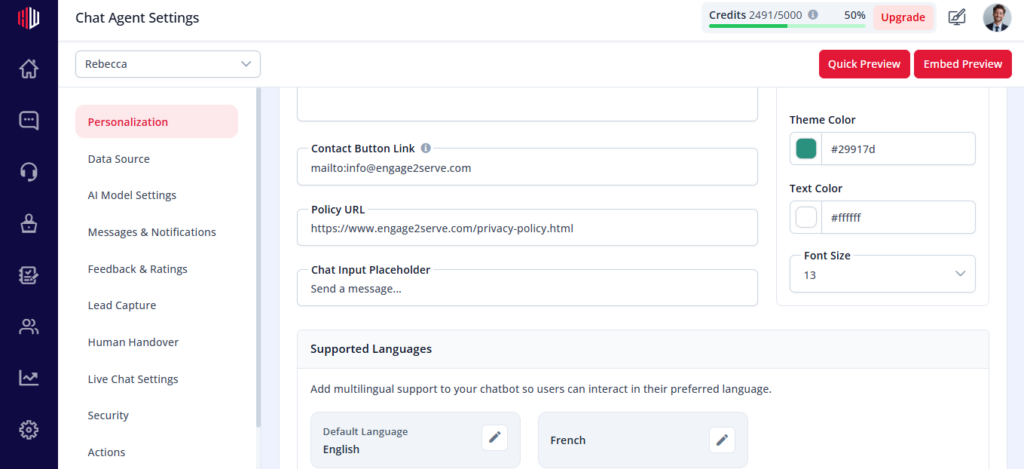
- Find Policy URL
- Enter your link
(Example: https://yourwebsite.com/privacy-policy)
How it appears #
- The link is available inside the chat interface
- Users can open it to view your privacy or policy details
Important Notes #
- Use a valid URL
- Recommended if you are collecting user data (lead capture, forms, etc.)
- Helps improve transparency and user trust
Next, use Embed Preview to confirm the link appears correctly in your chat widget.
Adding Privacy Policy Links #
The Policy URL allows you to link to your organization’s privacy policy or terms and conditions.
When configured:
- The link is accessible from the chatbot interface
- It opens in a new browser tab
This ensures compliance with privacy regulations and builds user trust.
If you have any questions, concerns, or need further clarification, please contact support@highengage.com for assistance.


