
This lets you set the hint text shown in the chat input box.
It guides users on what to type and helps them start the conversation easily.
Steps #
- Go to your Agent Dashboard
- Click Edit
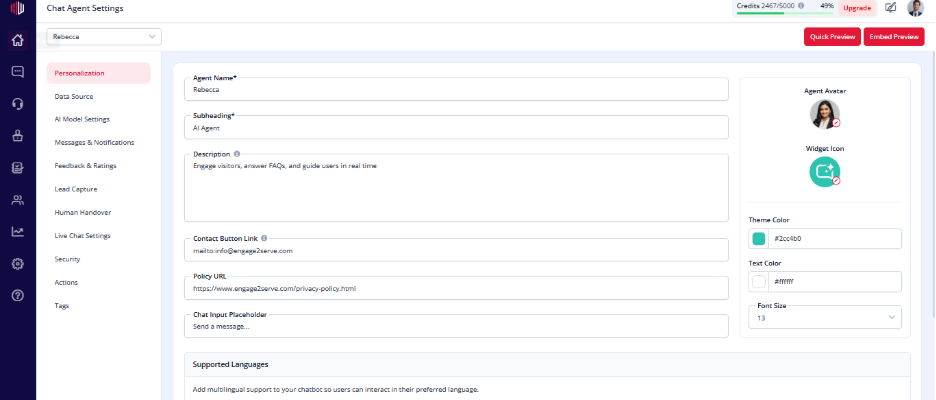
- Open Personalization
- Find Chat Input Placeholder
- Enter your custom text
(Example: “Ask me anything…” or “Type your question here”)
What to write #
- Keep it short and clear
- Guide users on what to do
- Match your use case:
- Support → “Describe your issue…”
- Sales → “What are you looking for?”
- Booking → “Select a date or ask for availability”
Important Notes #
- This text appears inside the input field
- It disappears once the user starts typing
- Helps improve user engagement
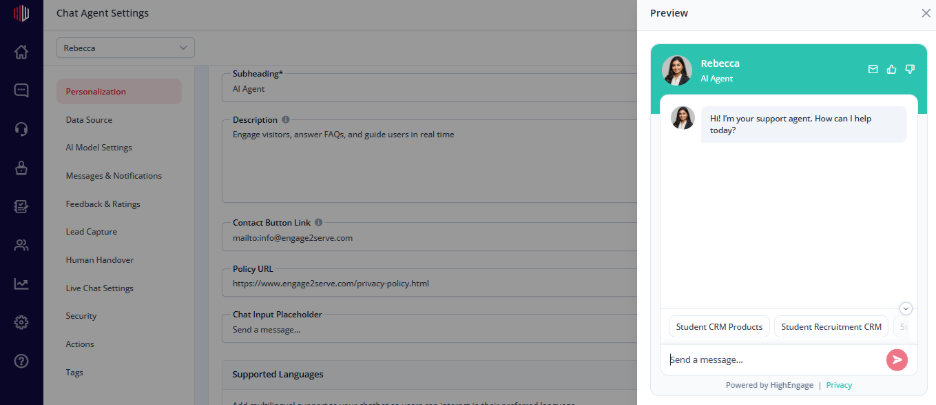
Next, use Quick Preview to see how the placeholder appears in the chat.
If you have any questions, concerns, or need further clarification, please contact support@highengage.com for assistance.


