
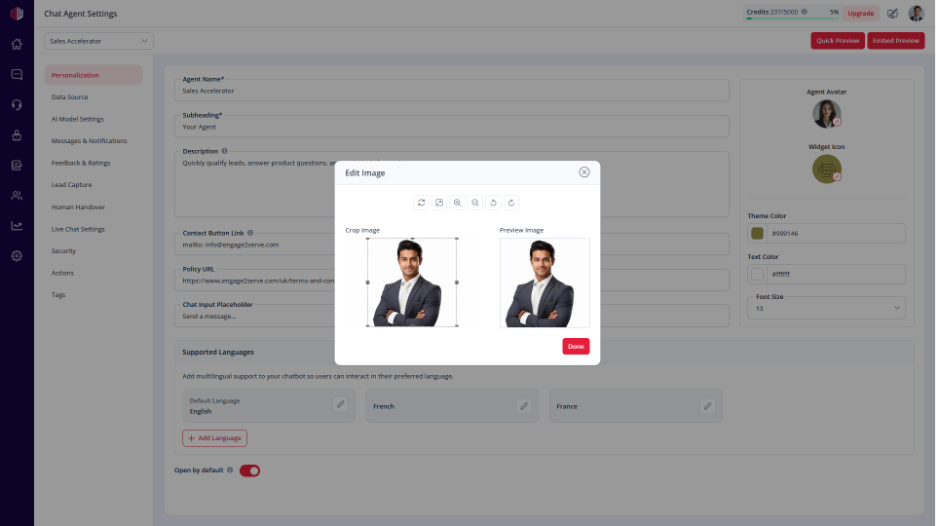
This lets you choose the image shown as your agent in the chat.
A clear avatar helps users recognize your brand and makes the chat feel more personal.
Steps #
- Go to your Agent Dashboard
- Click Edit
- Open Personalization
- Find Agent Avatar
- Upload an image or select an existing one
What to use #
- Brand logo → for a consistent business identity
- Bot icon → for a neutral assistant
- Human photo → for a more personal experience
Important Notes #
- The avatar appears:
- In the chat header
- Next to AI messages
- Use a clear, square image for best results
- Keep it consistent with your brand
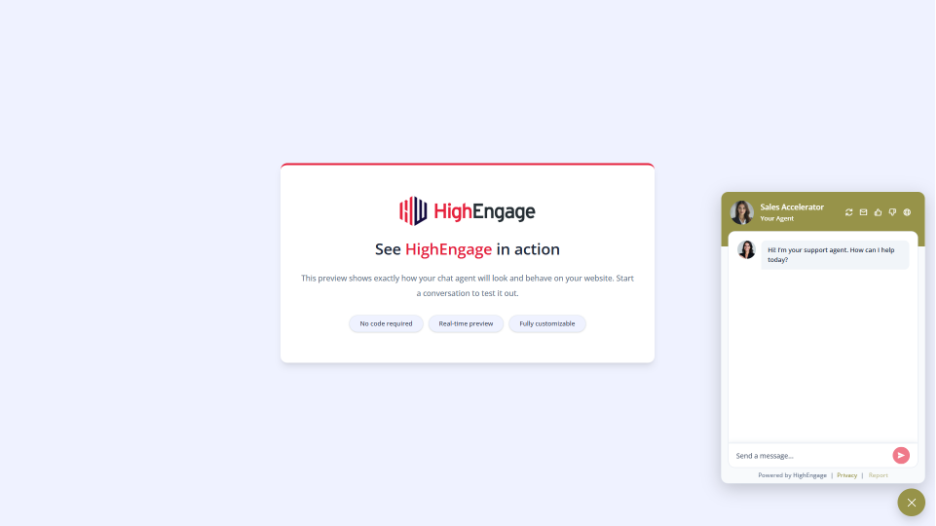
Next, use Quick Preview to see how your avatar appears in the chat.
If you have any questions, concerns, or need further clarification, please contact support@highengage.com for assistance.


