
This helps you define how your agent appears to users and what it does.
A clear name and description make it easier for users to understand and trust your chatbot.
Steps #
- Go to your Agent Dashboard
- Click Edit
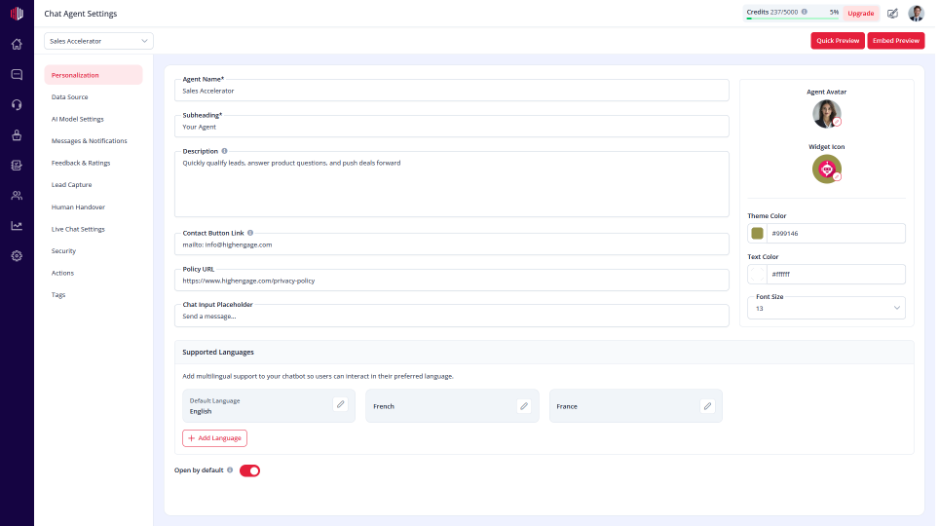
- Open Personalization
- Update the following:
- Agent Name
The name shown in the chat widget
- Sub Heading
A short label under the name (e.g., Support Assistant)
- Description
A brief explanation of what your agent does
Tips #
- Keep the Agent Name simple and clear
- Use the Sub Heading to define the role (Support, Sales, etc.)
- Write a short description so users know what to expect
Important Notes #
- Agent Name is required
- Changes reflect instantly in the chat widget
- Clear naming improves user trust and engagement
Next, use Quick Preview to see how your updated agent appears to users.
If you have any questions, concerns, or need further clarification, please contact support@highengage.com for assistance.


