
Getting started with HighEngage is quick and straightforward. You can create your account in just a few steps and begin setting up your AI agent right away.
Steps to create your account #
- Go to the HighEngage sign-up page
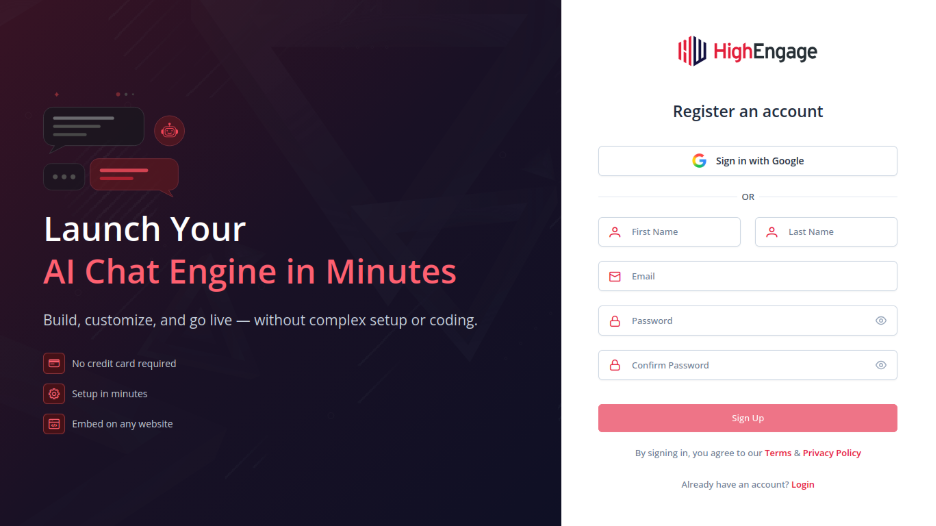
- Choose how you’d like to register:
a. Sign up with Google – It is straighforward and you can signup to an account by logging into your google account.
b. Register using your email and password – Enter the requested details like name, email and password and click on the Signup button to complete your registration.
You will then receive an OTP on your email which can be entered on the screen to get access to your account.
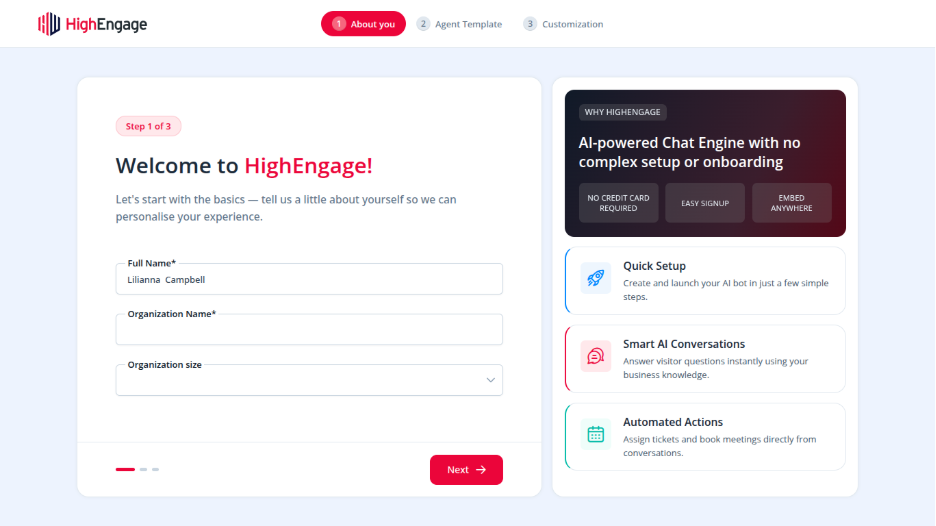
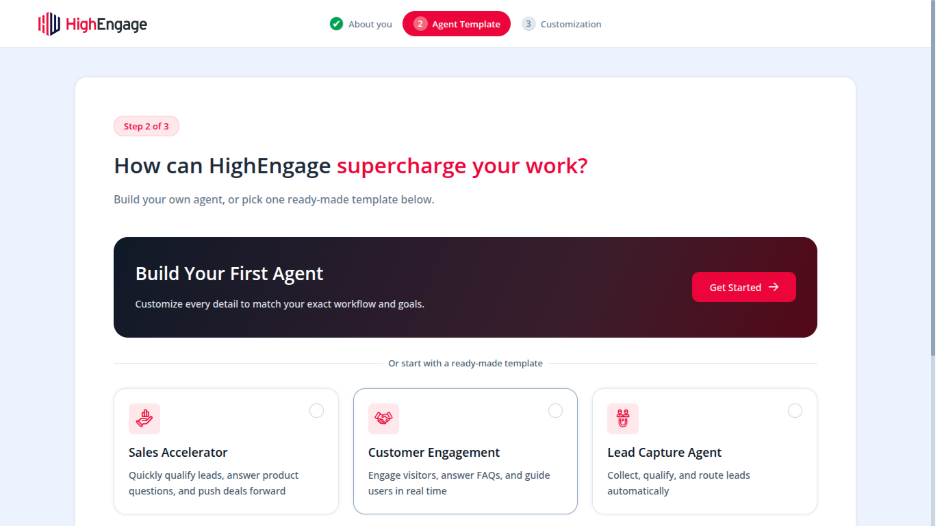
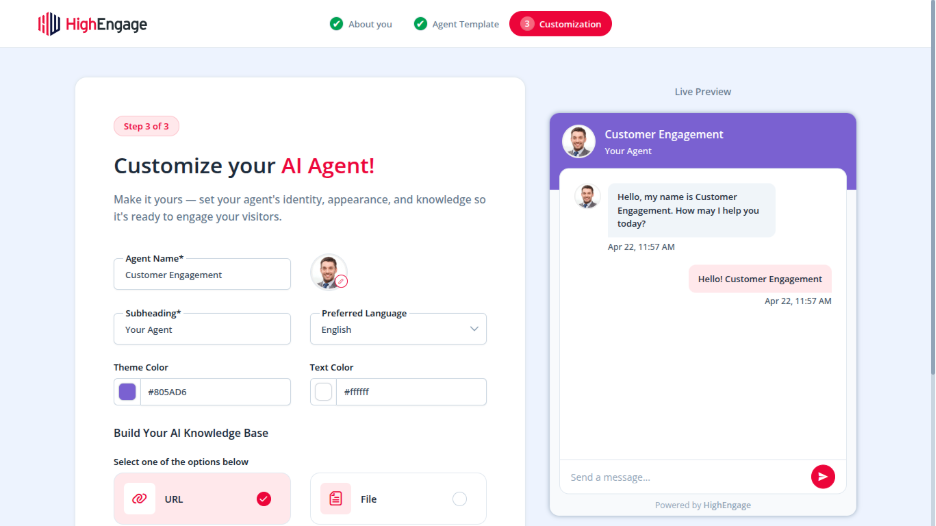
Once your account is created, you’ll be guided through a short onboarding process to set up your first AI agent.
Tip #
Using Google Sign-In is the fastest way to get started and avoids the need to manage passwords.
If you have any questions, concerns, or need further clarification, please contact support@highengage.com for assistance.


