
This lets you collect feedback even when a user leaves the chat without finishing the conversation.
It helps you understand drop-offs and improve incomplete interactions.
How it works #
- If a user becomes inactive, the chat session ends
- A feedback prompt (rating or survey) is shown when they return or before session closes
- Users can share their experience even if the chat wasn’t completed
Where to set this #
- View your agent in dashboard
- Go to Edit
- Open Messages & Notifications
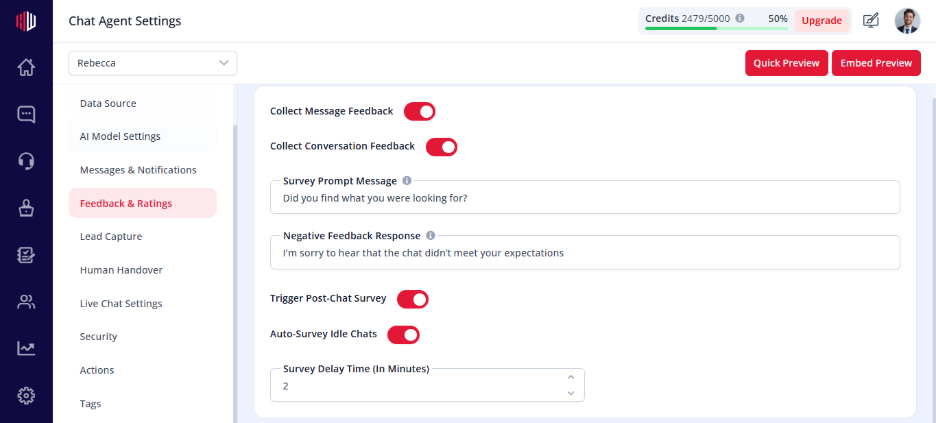
- Enable:
- Conversation Rating and
- Auto-survey idle chat
What users experience #
- After inactivity, the chat resets
- Feedback options may appear
Important Notes #
- Works with session timeout and inactivity behavior
- Does not affect stored conversations in Inbox
- Feedback helps identify where users dropped off
Tips #
- Keep feedback simple and quick
- Ask one clear question like:
“Was this helpful?”
- Use insights to improve responses and flows
Next, test your chatbot by leaving it idle and checking how feedback is collected.
If you have any questions, concerns, or need further clarification, please contact support@highengage.com for assistance.


