
This lets you show a survey after a conversation ends to collect user feedback.
It helps you understand how the interaction went and improve your agent.
Steps #
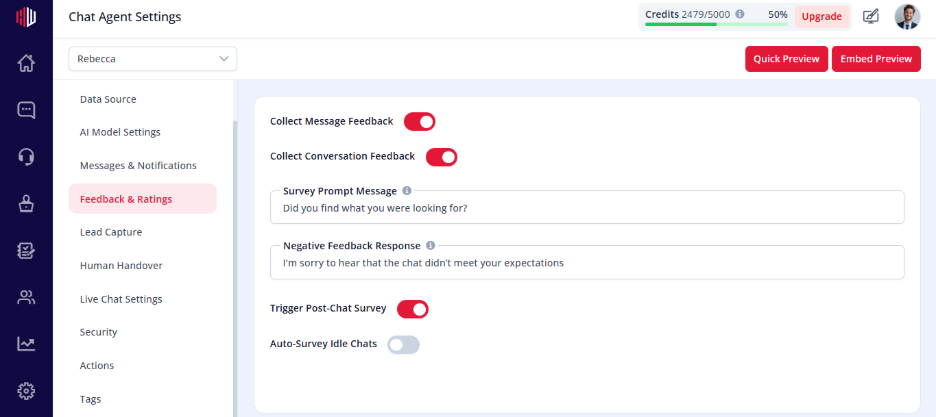
- View your agent in the dashboard
- Go to Edit
- Open Feedback & Ratings
- Find Trigger Post-Chat Survey
- Turn the toggle ON
How it works #
- The survey is triggered after the conversation ends
- Users can answer directly in the chat
- Responses are recorded for review
When it is triggered #
- After a completed conversation
- After chat inactivity or session end
- After escalation (optional, based on flow)
Important Notes #
- Works best when Survey Questions are configured
- Keep the survey short to improve completion
- Appears at the end of the chat experience
Tips #
- Ask 1–2 simple questions
- Combine with Conversation Rating for quick feedback
- Keep questions clear and easy to answer
Next, use Preview to complete a conversation and see how the survey is triggered.
If you have any questions, concerns, or need further clarification, please contact support@highengage.com for assistance.


