
This lets users rate their overall chat experience after a conversation.
It helps you measure satisfaction and identify areas to improve.
Steps #
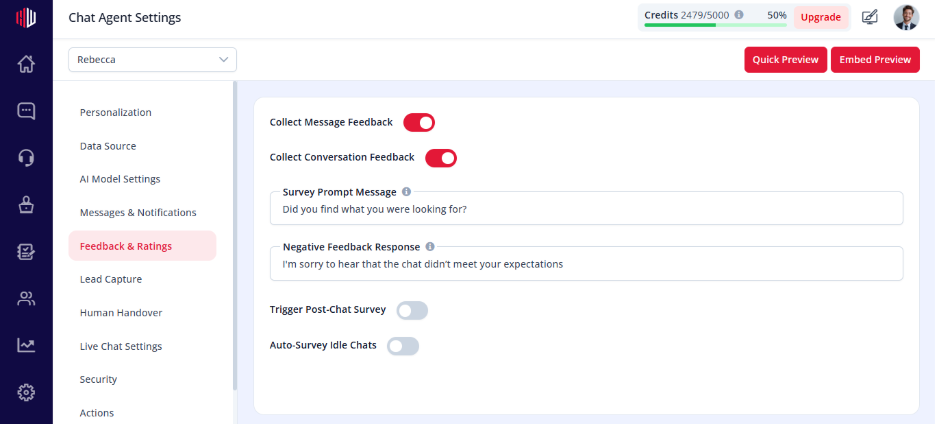
- View your agent in dashboard
- Go to Edit
- Open Feedback & Ratings
- Find Collect Conversation Rating
- Turn the toggle ON
How it works #
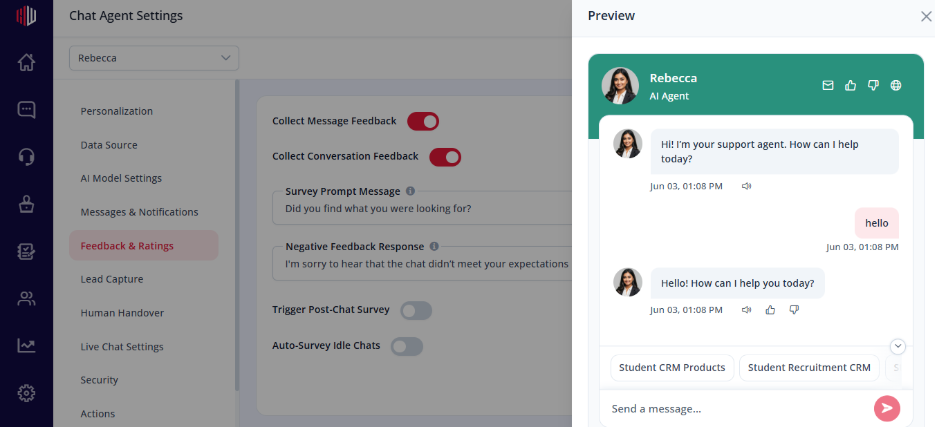
- After the conversation ends, users are asked to rate their experience
- Typically shown as a simple rating (e.g., 👍 / 👎) in the
- Users can submit feedback directly in chat
Where ratings appear #
- Stored along with conversation data
- Can be reviewed alongside chats for quality insights
Important Notes #
- Triggered at the end of a conversation
- Works well with Survey Questions
- Helps identify good vs poor interactions
Tips #
- Keep it simple (quick rating works best)
- Combine with a follow-up question for deeper insights
- Review ratings regularly to improve performance
Next, use Preview to complete a chat and submit a rating to see how it works.
If you have any questions, concerns, or need further clarification, please contact support@highengage.com for assistance.


